
Approve peers
The peer approval feature enhances network security by requiring manual administrator approval before a device can join the openZro network. This feature is handy when network administrators want to ensure access is restricted only to trusted, corporate-managed devices.
When enabled, devices connect to the management service without network access to other resources. Administrators then can assess whether the peer is eligible to join the network.
Peer approval is implemented end-to-end in openZro — it is not a managed-cloud-only
feature. The validator at
management/integrations/integrations/validator.go
persists Pending / Approved / Rejected state on each peer and respects
ExtraSettings.IntegratedValidatorGroups for selective enforcement (so service accounts
or routing peers can be exempt from approval gating).
Enable peer approval
To enable peer approval, navigate to Settings → Authentication in your openZro dashboard and toggle on Peer approval.
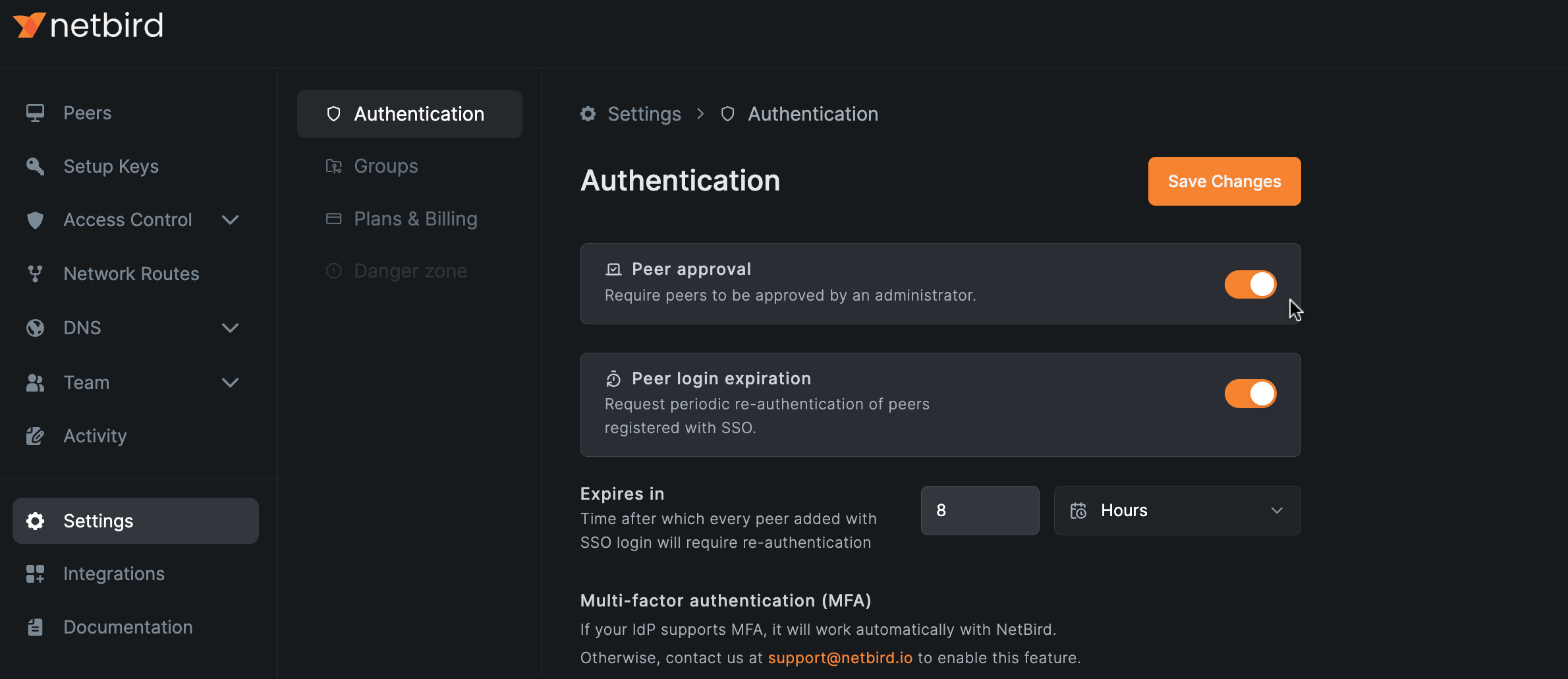
When disabling the peer approval, all pending approval requests will automatically be approved.
Approve peer
To approve a peer, navigate to the Peers tab in your dashboard and click the Approve button on the right side of the peers table.

Automate peer approval with EDR integrations
openZro integrates with EDR providers (Microsoft Intune, SentinelOne, Huntress, CrowdStrike Falcon) to automate peer approval — devices that the EDR vendor reports as compliant can be auto-approved, and non-compliant ones stay pending. See EDR integrations for the full setup.
Selectively exempt groups
You can mark certain groups (e.g. routing-peers, service-accounts) as exempt from
approval gating via ExtraSettings.IntegratedValidatorGroups. Peers that are members of
any exempt group skip the approval check and join the network immediately. This matches
the Device Admission Exempt Groups behaviour documented under
Device Admission.
Get started
- Star openZro on GitHub
- Latest release notes